Premium Syntax Highlighting
Beautiful Code in Google Workspace™
Transform plain code into beautifully highlighted, professionally formatted blocks — directly inside Google Docs™, Google Slides™, and Google Sheets™. Supports 17+ languages and 10+ premium themes.
# Syntax Styler — One Click Highlighting
def greet(name):
    message = f"Hello, {name}!"
    return message

print(greet("Developer"))
Where to Find It & How to Use
Installed the add-on? Here is exactly where Syntax Styler lives across Google Docs™, Google Slides™, and Google Sheets™:
Important: Syntax Styler is in the Right-Hand Side Panel(Not the top “Extensions” menu)
As a modern Google Workspace™ Add-on, Syntax Styler appears in the vertical icon bar on the far-right edge of your screen (next to Google Calendar™, Keep™, and Tasks™).
‹ (“Show side panel”) to expand it and reveal the Syntax Styler icon!1. Open Document
Open any Google Docs™, Google Slides™, or Google Sheets™ file. If you just installed, refresh the tab once.
2. Click Right Icon
Click the emerald Syntax Styler icon on the far-right companion bar to open the sidebar.
3. Select Code
Highlight your code snippet, slide shape/text box, or spreadsheet cell that you want to format.
4. Style & Highlight
Pick your language & theme in the sidebar, then click Apply Syntax Highlight!
See it in Action
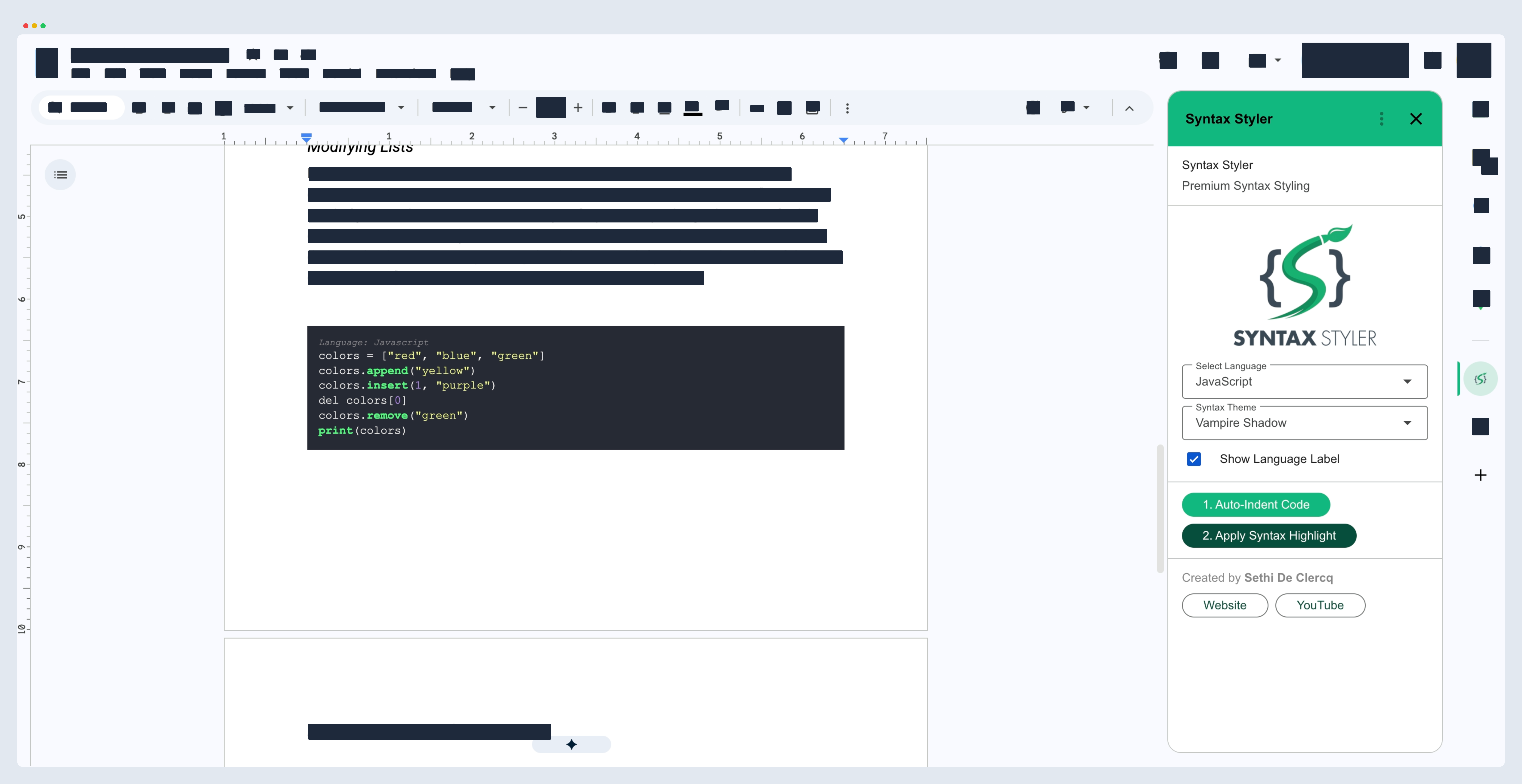
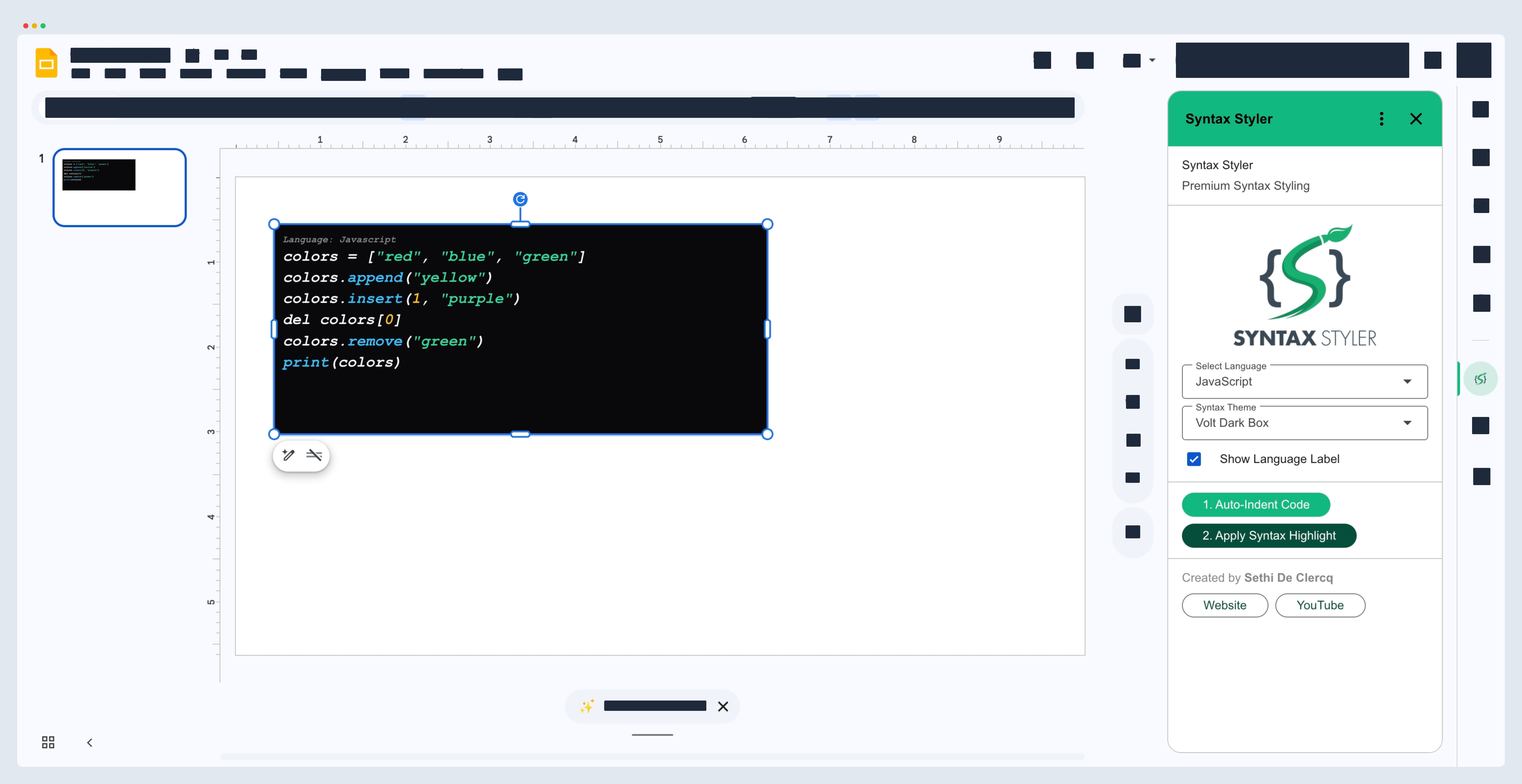
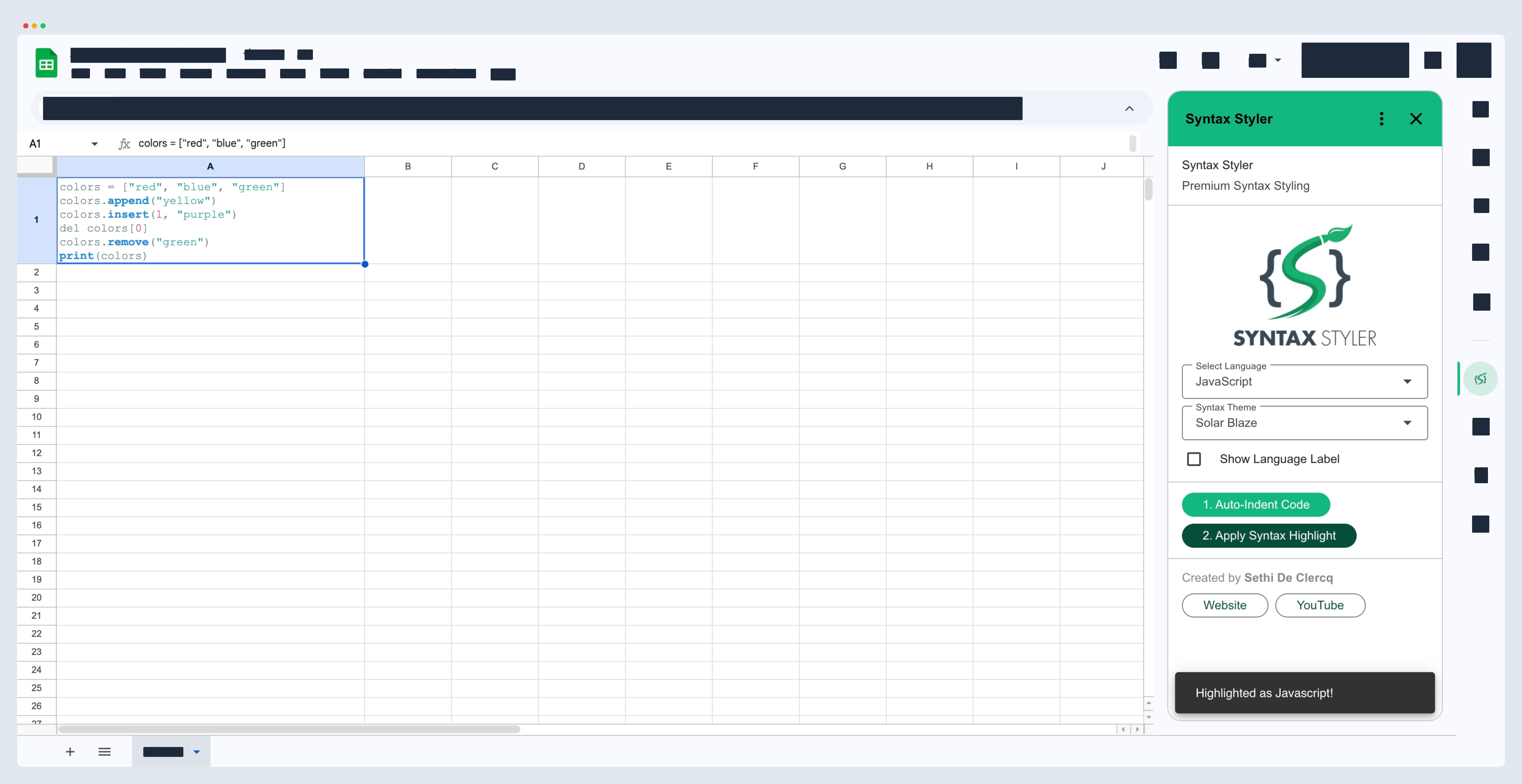
Click any interface to expand and see the detail.
Everything You Need
Professional syntax highlighting without leaving your document.
10+ Premium Themes
From deep dark backgrounds like Volt Dark to clean light themes like Arctic Frost. Each theme is hand-tuned with harmonious token colors.
17+ Languages
JavaScript, Python, TypeScript, Java, C++, Go, Rust, SQL, HTML, CSS, and many more. Full Highlight.js-powered tokenization.
Works Everywhere
One add-on for Google Docs™, Google Slides™, and Google Sheets™. Format code consistently across your entire workspace.
Auto-Indent
Messy code? One click to beautify and re-indent before highlighting. Powered by a built-in code formatter.
Language Labels
Optional “Language: Python” labels for educational documents. Perfect for tutorials, lessons, and technical documentation.
Privacy First
Zero data collection. All processing happens locally in your browser. We only access the current document — nothing else.
Themes for Every Style
Click a theme card to see it applied to the code preview.
Volt Dark
Box Theme
Vampire Shadow
Box Theme
Midnight Neon
Box Theme
Ocean Abyss
Box Theme
Nebula Deep
Box Theme
Forest Night
Box Theme
Obsidian Gold
Box Theme
Arctic Frost
Box Theme
Slate Pro
Box Theme
// Previewing Volt Dark theme
function highlightCode(text, lang) {
  const tokens = tokenize(text, lang);
  return tokens.map(t => {
    const color = "' + t.color + '";
    return <span style={{ color: color }}>{t.text}</span>
  })
}
Ready to highlight?
Install Syntax Styler for free from the Google Workspace™ Marketplace and start formatting code like a pro.